POS & inventory system built for Mindanao MSMEs
POS, inventory, invoicing, utang, and expiry tracking in one place — for pharmacies, sari-sari stores, groceries, and distributors. Devanta tells you what's running low, what's about to expire, who still owes you, and how each branch did today.
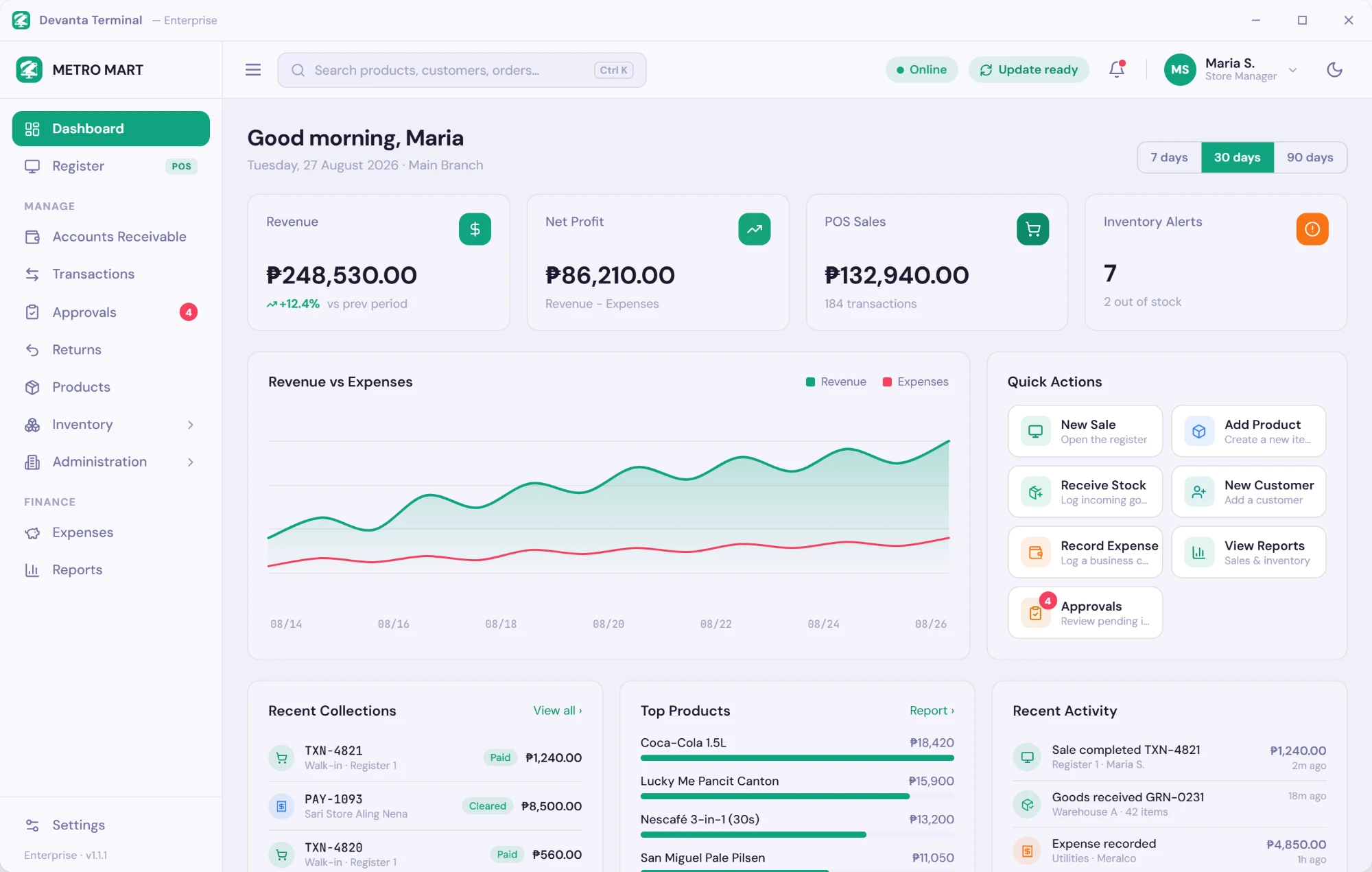
2,500+ sales a month
One distributor on Devanta recorded 2,549 POS sales and invoices in September alone.
Built for PH rules
VAT breakdowns plus Senior Citizen and PWD discounts on every receipt.
Browser or desktop
Run your counter in the browser or on our free Windows POS app.
14-day free trial
Try every module. No credit card, cancel anytime.
Made for Mindanao’s pharmacies, sari-sari stores and MSMEs
One system, set up the way your kind of business works.
Pharmacies & drugstores
Batch & expiry tracking with FEFO, Senior Citizen & PWD discounts, purchase orders and recall tracing.
Learn moreSari-sari stores & mini-marts
Sell by piece or pack (tingi), keep an utang list per suki, and get low-stock alerts.
Learn moreMSMEs & distributors
Hardware, agri-supply, grocery and wholesale — retail & wholesale pricing, invoicing and collections.
Learn moreBusinesses across Mindanao
Built and supported from Valencia City, Bukidnon — for Davao, CDO, GenSan, Zamboanga and beyond.
Learn more
Everything you need to run your business
Built specifically for Philippine pharmacies, groceries, and trading businesses
Sales & Orders
Quotations, orders, and returns — with multi-unit selling and per-customer price levels.
Invoicing & Collections
Invoices, statements, aging, check payments, and credit notes in one place.
Point of Sale
Fast barcode checkout in the browser or our free Windows desktop app.
Smart Inventory
Live stock across branches, receiving, transfers, and expiry tracking.
Pharmacy
Batch and FEFO control, purchase orders, dispensing, and Sr. Citizen / PWD discounts.
Animal Bite Center
Patients, bite incidents, vaccine schedules, and patient billing.
Loyalty & Rewards
Customers earn points on every purchase and redeem them for discounts at checkout.
Finance & Reports
Expenses, cash deposits, and sales reports that reconcile — ready to print or export.
Multi-Branch & Roles
Run every branch from one account, with permissions and approvals per role.
AI Scanner
Scan purchase orders and invoices — AI reads them and posts the entries for you.
Up and running in three steps
No lengthy onboarding, no consultant needed. Most businesses go live the same day.
Create Your Account
Sign up in minutes. Choose your plan, enter your business details, and invite your team — no tech skills required.
Add Products & Inventory
Import your product catalog, set up branches and warehouses, and configure your stock levels and reorder points.
Start Managing & Growing
Process orders, run your POS, track inventory across branches, send invoices, and watch your business grow.
Simple, transparent pricing
Billed yearly. All plans include a 14-day free trial.
Enterprise
For multi-branch chains and distributors that need custom integrations, an SLA, and hands-on support.
Talk to us for a quote · monthly or yearly billing
- Unlimited branches
- Unlimited users
- Unlimited products
- All modules
- Advanced reports & projections
- Dedicated account manager
- Custom integrations & API
- SLA guarantee
- On-site training
- White-glove onboarding
Prices are in Philippine Peso (₱), billed yearly, and exclude VAT. Need monthly billing? Ask about a custom plan.
Custom Development
Need an app built just for your business?
If Devanta doesn't fit your workflow out of the box, we'll build a desktop, Android, or web app tailored to how you work — with AI automation for the repetitive parts.
Explore custom appsTrusted by businesses across the Philippines
Real results from real customers
"We used to track stock and sales for our agrivet and rice wholesale branches by hand. With Devanta, we see every branch’s inventory and sales in one place — no more manual counting and guesswork."
Sweet AB
Owner, OCA Trading Group
"Customer A/R, distribution, inventory, disposals, sales, and expenses — we now track all of it in one system. We always know who owes us, where every batch went, and how the business is doing."
Robert G.
Operations Manager, King David Pharma Distributor
"Keeping track of every customer’s order and its status was a daily struggle. Devanta built us a custom system that fits exactly how our shop works — now we see every job from order to pickup at a glance."
Kevin JR.
Owner, D-Urban Printing Shop
Frequently Asked Questions
Can't find the answer? Email us
Is there a free trial?
Yes — every plan includes a 14-day free trial with full access to all features. No credit card is required to start.
Is Devanta a good POS and inventory system for small businesses in Mindanao?
Yes. Devanta is built and supported from Valencia City, Bukidnon, for MSMEs across Mindanao — Davao, Cagayan de Oro, General Santos, Zamboanga, Iligan, Butuan and beyond. It runs in any web browser, includes a free Windows POS app, and support is a call, Viber message or email away.
Can I use Devanta for a sari-sari store or mini-mart?
Yes. You can sell by piece or by pack (tingi) from the same stock, keep a per-customer utang list with credit limits and statements, get low-stock alerts, and see your daily sales at a glance.
Can I manage multiple branches?
Absolutely. Devanta is built for multi-branch operations. Each branch gets its own inventory, POS terminals, staff, and reports, while you maintain a unified view from headquarters.
Do you support Senior Citizen and PWD discounts?
Yes. Our POS module supports Senior Citizen discounts under RA 9994 and PWD discounts under RA 7277, including VAT exemption. Discount types are fully configurable to fit your business.
Is Devanta BIR-accredited?
No. Devanta is a business management system for inventory, sales records, collections, and reporting — not a BIR-accredited POS or cash register machine, and what it prints are not official receipts or invoices. Keep using your BIR-registered invoices and receipts alongside it.
What equipment do I need?
Any computer, laptop, or tablet with a web browser and an internet connection. For a faster counter, add our free Windows POS app, a USB barcode scanner, and a thermal receipt printer.
How do I install the Devanta Windows app?
1. Click "Download for Windows" on our Features page and save DevantaTerminal-win-Setup.exe. 2. If your browser says the file "isn't commonly downloaded", open the download list, click the three dots next to the file, then Keep → Show more → Keep anyway. 3. Run the file. If Windows shows "Windows protected your PC", click More info, then Run anyway. 4. The app installs by itself (no admin rights needed) and opens to the sign-in screen. From then on it updates itself automatically. See the step-by-step Windows guide →
How do I install the Devanta Android app?
Devanta Mobile is installed straight from our website (an APK file), not from the Play Store. 1. On your Android phone or tablet, tap "Download for Android" on our Features page. 2. If Chrome warns "This type of file can harm your device", tap Download anyway. 3. Open the downloaded DevantaMobile.apk. If asked, allow your browser or file manager to "Install unknown apps", then go back and tap Install. 4. If Google Play Protect shows "Unsafe app blocked" or asks to scan the app, tap More details → Install anyway (or Install without scanning). 5. Open Devanta, then start the free trial or enter your one-time license key. See the step-by-step Android guide →
Why does Windows or Android warn me that the Devanta app may be unsafe?
Our installers are not yet code-signed, and the Android app is not distributed through the Play Store. Windows SmartScreen and Google Play Protect warn about any app like that until it builds up a download history — the warning does not mean a virus was found. To stay safe, only download Devanta from devanta.app. If you are unsure about a file, email support@devanta.app before installing it. Read the installation guide →
Is my data secure?
Your data is encrypted in transit (TLS 1.3) and at rest. Each business (tenant) is fully isolated — no cross-tenant data access is possible. We run daily backups with point-in-time recovery.
Can I import my existing product catalog?
Yes. You can import products via CSV with mapping for SKU, name, category, price, and opening stock. Our support team can also assist with bulk migrations from other systems.
Do you offer training and support?
All plans include email support and access to our knowledge base. Professional plans include priority support with faster response times. Enterprise plans include a dedicated account manager and optional on-site training.
Can I use Devanta for both pharmacy and grocery?
Yes — Devanta supports mixed-use businesses. You can enable or disable modules (Pharmacy, POS, Animal Bite Center) per branch, so a combined pharmacy and grocery can run both workflows side by side.
What happens after my free trial ends?
Access to your account is paused until you subscribe to a plan. Your data stays safe — once you subscribe, everything is right where you left it.
Ready to transform your business?
Join the Mindanao businesses already running on Devanta.
Start Your Free Trial →14 days free. No credit card. Cancel anytime.